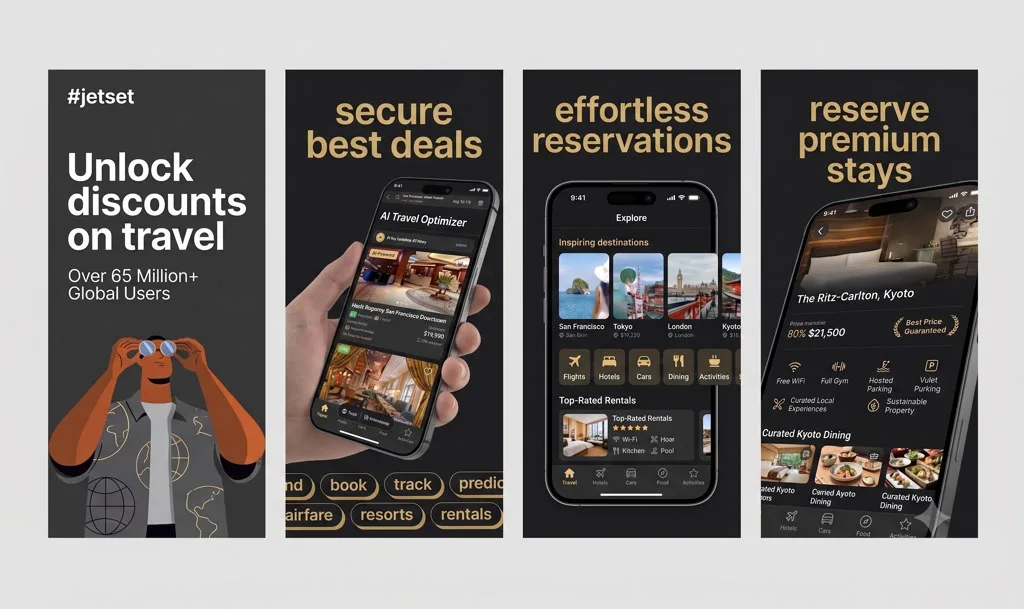
AppGrowthKit 2026.08.15 - AI App Icon Generator, Screenshot Localization, and a Redesigned Editor
AI IconsLocalizationEditorLayersMobile
Generate app icons with AI, localize your screenshot sets into other languages, and navigate the editor through a new Layers panel - plus a flatter, faster chat experience everywhere in the app.
AI App Icon Generator - describe your app in the new Icons tab and get square app icons generated by AI, saved automatically so they survive a refresh, with a filmstrip of past generations you can bring back to the canvas.
AI screenshot localization - generate editable, localized variants of your screenshot sets in additional languages from the same AI chat.
New editor Layers panel - see every screen and element in your project at a glance and click straight to its settings, plus an Add Element picker for text, image, icon, shape, and device layers.
Redesigned inspector - a flatter single-panel layout, liquid-glass toggle switches, matching drag/resize controls for titles and subtitles, and reworked gradient/solid background pickers.
Flatter, faster chat UI - the AI chat now uses a clean, ChatGPT-style composer across the screenshot editor and icon generator, with resizable side panels on desktop.
Icon generator on mobile - bigger touch targets and a side-by-side layout on landscape phones instead of a cramped vertical stack.
Combined Usage Activity feed - Plan & Usage now shows your real activity (icon generations, projects created) alongside billing history in one collapsible feed.
New sidebar creation picker - starting a new project now opens a clear workflow picker instead of a small popover, and the sidebar collapses by default inside a workspace.
2026.08.13
AppGrowthKit 2026.08.13 - Clearer Upgrade Prompts and a Faster, More Discoverable Site
PaywallOnboardingSEOPerformance
Upgrade prompts now explain exactly why you're seeing them, onboarding shows every plan up front, and the site is faster and easier to find on search and AI answer engines.
Contextual upgrade prompts - hitting a plan limit now shows a title and message specific to what you tried to do, instead of a generic plan-comparison banner.
See every offered plan during onboarding - new users now choose between Pro and Launch Pass right away.
Fixed Plan & Usage bar - project access and usage now stay consistent after local drafts are deleted.
Restyled pricing page - the marketing pricing page and footer now match the in-app pricing dialog's look and feel.
Faster, more discoverable site - trimmed unused fonts and assets, added crawlable FAQ/pricing content and structured data, a llms.txt file for AI answer engines, and a proper custom 404 page.
Updated privacy policy - reflects the analytics we actually collect today.
2026.08.11
AppGrowthKit 2026.08.11 - AppStyle is now AppGrowthKit
RebrandDesignMarketing
We've renamed AppStyle to AppGrowthKit to reflect where the product is headed - beyond just screenshots. Same account, same projects, new name and a refreshed look.
New name, new domain - AppStyle is now AppGrowthKit, with all your existing projects, credits, and billing carried over automatically.
Refreshed marketing site - new Sora-based headings, an updated hero video, and refined pricing cards across the landing and pricing pages.
Smoother navigation - fixed a Safari-specific glitch where the glass navigation bar could fail to render while scrolling.
2026.08.06
AppGrowthKit 2026.08.06 - Simpler Plans and Faster Billing
PricingLaunch PassBilling
Plans are simpler to compare, and billing is more reliable behind the scenes so purchases and credits always land correctly.
Simpler plan picker - pricing highlights Launch Pass and Pro so it's easier to pick what fits.
Launch Pass fixes - one-time Launch Pass purchases are now reliably detected and labeled correctly, and access is instantly revoked if a purchase is refunded.
More reliable billing - purchases, credit grants, and subscription status now sync through a hardened billing pipeline so credits and access are never lost to a failed retry.
Welcome email - new users now get a welcome email after finishing onboarding.
Refreshed editorial screenshot template - a new premium App Store-style template with better default type sizes and copy limits, so AI-written subtitles stop getting cut off mid-sentence.
2026.08.03
AppGrowthKit 2026.08.03 - Blog Launch: App Store & ASO Guides
BlogASOSEOContent
We opened a blog with practical App Store and Google Play guides - screenshot sizes, character limits, best practices, and more - so you don't have to hunt through scattered docs.
New blog at /blog with in-depth App Store and Google Play guides, starting with a complete screenshot size reference for every device: iPhone, iPad, Watch, Mac, TV, Vision Pro, and Google Play.
App Icon Sizes guide - every iOS and Android icon dimension you need, with a link straight to our free App Icon Generator.
Screenshot best practices and character limit guides - practical, checklist-style posts for App Store and Google Play listings.
AI screenshots and Product Page Optimization guides - how to use AI-generated screenshots and run PPO A/B tests.
Cleaner blog reading experience - the blog now lives in the footer instead of crowding the top navigation, with fixed internal links and layout polish.
2026.07.31
AppGrowthKit 2026.07.31 - Full Mobile Support - Touch-Enabled Editor, Redesigned Navigation, and Site-Wide Responsive Fixes
MobileEditorTouchNavigationResponsive Design
AppGrowthKit now works properly on your phone. Drag, resize, and rotate elements with your finger, pinch to zoom the canvas, and enjoy a redesigned mobile navigation across the entire site.
Touch-enabled canvas editor - Drag device mockups, text, and images with your finger, resize and rotate with on-canvas handles, and pinch with two fingers to zoom in and out - no mouse required.
Redesigned mobile editor - The AI chat and Customize panels now slide in as full-height drawers you can reach with one thumb, with a bottom action dock for Export, Add Screen, and quick access to your project.
Long-press for context menus - Press and hold any element, device, or screen on mobile to bring up the same Duplicate, Bring Forward, and Delete options available on desktop.
Cleaner mobile navigation site-wide - The marketing menu, dashboard, and profile pages now use a proper slide-out hamburger menu instead of squeezed-in links, with every button and input sized for a thumb, not a mouse pointer.
Full-screen pricing on phone - The upgrade dialog now fills the whole screen edge-to-edge on mobile so plan details and buttons are never cut off.
Fixed comparison tables and small-screen layout bugs - Alternative comparison tables now scroll horizontally instead of squishing illegibly, and dozens of small overflow and sizing issues across tools, dashboard, and profile pages are resolved.
2026.07.29
AppGrowthKit 2026.07.29 - Fast 1-Click AI Screenshot Generator, UI Revamp, Dedicated Help Hub, and Editor Refinements
AI GeneratorUI RevampHelp HubEditorDashboard
Generate full App Store and Google Play screenshot sets in seconds with our new 1-Click AI Generator, explore the sleek UI revamp across dashboard and editor, and get instant support in the new Help Hub.
Fast 1-Click AI Screenshot Generator - Type a quick description of your app or upload your app icon, and AppGrowthKit AI automatically generates a complete, store-ready screenshot set with headlines, device mockups, and matching brand colors.
Complete Dashboard & Editor UI Revamp - Upgraded project card hover spotlights, clean floating 3D loader badge, collapsing top bar title pencil, and streamlined navbar controls for a state-of-the-art UI experience.
Dedicated Help & Support Hub - Access our new Help page directly from the sidebar (? icon) to view quick guides, FAQs, and get direct email support from our team.
Smoother Editor & Canvas Opening - Projects now load faster with a cleaner loading screen and automatically open centered on your first screenshot.
Polished Pricing Dialogs - Redesigned pricing popups with pinned action buttons that fit comfortably on all laptop screen sizes.
2026.07.26
AppGrowthKit 2026.07.26 - Unlimited Pro Plan, Launch Pass, and site improvements
PricingProLaunch PassDesign
We completely revamped our billing options to give you more flexibility. Meet the Unlimited Pro Plan, the one-time Launch Pass, and enjoy a cleaner, centered design across the site.
Unlimited Pro Plan - Say goodbye to project limits. The Pro plan now includes absolutely unlimited projects so you can experiment freely without counting credits.
Launch Pass - Only need AppGrowthKit for a quick weekend launch? Get the new $9 Launch Pass to unlock everything for 7 days. Pay once, no subscriptions, no renewals.
Perfectly aligned pricing grid - Our pricing cards now use CSS subgrid to keep all features perfectly aligned row by row, making it much easier to compare plans.
Improved hero section - The homepage hero has been refined to stack perfectly on mobile and remain perfectly centered no matter which store name is currently rotating.
Reduced card spacing - We tightened up the padding and spacing inside the pricing cards, delivering a sleeker look while keeping all text easily readable.
New dark mode toggler - We swapped the old toggle for a beautiful three-state circle button in the footer: System, Light, and Dark modes.
2026.07.15
AppGrowthKit 2026.07.15 - Four new free tools and a smoother start
Free ToolsASOApp IconsChartsOnboardingPricing
The free tools library grows with App Icon Generator, Top Apps, Top Grossing, and the ASO Character Counter - all browser-first, no sign-up. Onboarding now lives on your dashboard with a clearer plan picker.
App Icon Generator - drop in one 1024px icon and download every iOS and Android size for Xcode and Android Studio. Runs entirely in your browser - nothing gets uploaded.
Top App Store Apps - live top free and top paid charts across 30 countries, pulled directly from Apple's public RSS feed in your browser.
Top Grossing Apps - track the highest-revenue iOS apps by country for monetization and ASO research. Same in-browser feed, no data stored.
ASO Character Counter - count characters for every App Store and Google Play metadata field against exact store limits. Live warnings when you go over, no sign-up required.
Screenshot Beautifier refresh - tool UI now uses the same polished panel layout as the other free tools, with updated FAQ and privacy notes.
Onboarding on the dashboard - new users pick how they heard about AppGrowthKit and choose a plan over a frosted dashboard backdrop, instead of a separate onboarding page.
Clearer plan access - project creation and export now open the plan picker so you always know what is included before checkout.
View plans from the sidebar - the Unlock AppGrowthKit Pro card now opens pricing instantly, without sending you through Plan & Usage first.
Pricing modal refresh - taller layout, equal-height plan cards, and buy buttons that stay visible without awkward scrolling.
Consistent marketing pages - shared navigation and footer across tools, alternatives, and legal pages so subpages feel like one product.
App Icon Generator
Top App Store Apps
Top Grossing Apps
ASO Character Counter
2026.07.13
AppGrowthKit 2026.07.13 - Initial production launch
LaunchScreenshot EditorAIRelease
AppGrowthKit is live. Design polished App Store and Google Play screenshots in minutes - with AI, device frames, and store-ready export built in.
Screenshot editor - turn raw app screens into polished, store-ready visuals.
AppGrowthKit AI - generate screenshot sets, refine layouts, and get ideas without starting from scratch.
Device frames - latest iPhone, iPad, and Android mockups ready to use.
One-click export - download everything in the sizes App Store and Google Play need.
Store export - generate the App Store and Google Play assets your mobile listing needs.
Sign in with Google or email - get started in seconds.
Free Screenshot Beautifier - polish any screenshot for social posts and portfolios, no account needed.