App Store Phased Release, Day by Day
Seven days, fixed percents, pause up to 30 days total. Not for a first release. The automatic-update binary is staged. Treat the listing copy as live, and watch crashes before day 5.
Quick answer
How does App Store phased release work day by day?
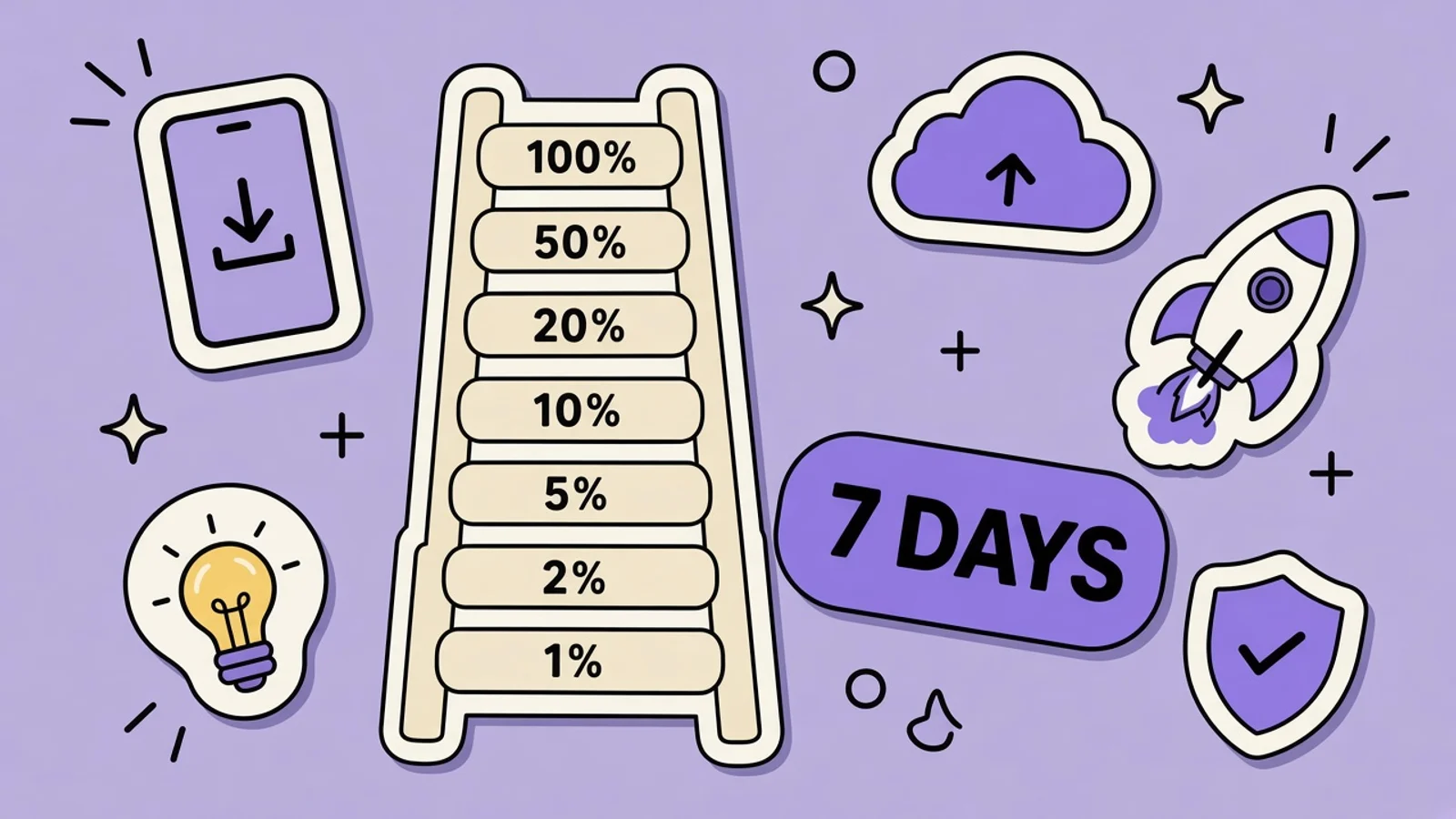
Phased release updates automatic installs over seven days: 1%, 2%, 5%, 10%, 20%, 50%, then 100%. It is only for version updates, not the first release. You can pause for 30 days in total, and resuming continues the day you left. Anyone can still download the update by hand. Treat the listing copy as live, because the article stages the binary, not a hidden product page.
On this page
An expense splitter is about to ship a sync fix. This is not financial advice and not a bank. It is a version update that divides a dinner, and you do not want every automatic update to take the build in the first hour if the sync eats a receipt. Phased release is Apple’s fixed seven-day ladder for that situation. You do not pick the percent. You watch the early days, and you pause if the crash log earns it.
The ladder and the pause rule are on Release a version update in phases . Play’s version, where you choose the percent and it does not climb by itself, is Google Play staged rollouts. What you tell people in the version note is What’s New. If the sync bug already has reviews, answer them in how to reply to App Store reviews.
The seven days, exactly
When you submit a version update you can choose to release it gradually over seven days. A random sample of users who have automatic updates on, on eligible devices, get the update. They are not told they are in a phased release. The percentages are fixed.
| Day | Percentage of users | What to do that day |
|---|---|---|
| 1 | 1% | Read crashes and the first reviews before you go to sleep |
| 2 | 2% | Confirm the sync fix is the build they actually received |
| 3 | 5% | Pause if the same crash is repeating. Do not wait for day 6 |
| 4 | 10% | Reply to reviews that name the bug you just fixed, with the version |
| 5 | 20% | If day 1 through 4 were quiet, let it climb |
| 6 | 50% | Half of automatic updates. A bad build here is no longer a tiny sample |
| 7 | 100% | The phased schedule is done. Automatic updates are on this version |
Day 1 is 1%, day 2 is 2%, day 3 is 5%, day 4 is 10%, day 5 is 20%, day 6 is 50%, and day 7 is 100%. The steps are Apple’s. They do not speed up because the first night looked fine.
Pause uses a 30-day budget
You may pause for up to 30 days, and there is no limit on the number of pauses inside that total. Apple’s own example: pause for 10 days, resume, and you have 20 days of pause left. When you resume, the release picks up on the day it was on when you paused. A pause on day 3 does not restart you at day 1, and it does not skip you to day 7. Required role to manage this is Account Holder, Admin, or App Manager.
On the version page, the Phased Release for Automatic Updates section is where you pause or resume. You can also release to all users once the version is Ready for Distribution, which gives the latest supported version to devices with automatic updates on. That is the “stop waiting” button. Use it when the sync fix is boringly fine. Do not use the first quiet hour as proof. One percent is a small room.
The first release cannot use it
The control shows up when you submit a version update, for an app already in a status that allows the submission. A brand-new expense splitter’s first release goes out the ordinary way. If you wanted a staged first public build, that was TestFlight, internal then external, before you ever hit Ready for Sale. Phased release is how you limit automatic updates of a version you are shipping on top of an app people already have.
Removing the app from sale stops the phased release, and that version cannot use phased release again. If membership lapses, that counts as removal. When the app comes back, it is available to everyone immediately, regardless of the percent you had reached. To get a controlled rollout after that, make the version unavailable for download and submit a new version update with phased release on. Do not yank the app to “pause.” Pausing is the 30-day control. Removal is a different door.
Watch crashes while the percent is still small
Day 1 is the point of the feature. If the sync fix crashes when two people edit the same dinner, you want that on 1% of automatic updates, not on all of them. Pause, ship a follow-up, and reply to anyone who already wrote. There is no official crash-rate threshold in the phased-release article, so do not invent “pause above 0.5%.” Pause when you would be unwilling to explain the crash in a public reply. Day 6 at 50% is a late time to discover a startup loop.
Users are not notified that they are in the phased release. They will still blame the app, and they can still review. A reply that says “you’re in a random 2% bucket” is not helpful. A reply that says which version fixes the sync, and what to do if they tapped Update manually, is helpful. Manual updaters may be on the build before your automatic-update chart says the day has reached them.
Treat the listing as live
The phased-release article describes how the update reaches automatic updates. It does not say the product page keeps the previous screenshots, description, or What’s New until day 7. Do not plan on the new metadata staying hidden. Treat the listing copy as live when the version is released. If What’s New mentions the sync fix, assume shoppers can read that on day 1, including people whose phones have not auto-updated yet, and including people who download the build by hand.
On iOS, metadata other than promotional text ships with the version. Promotional text is 170 characters, can change without a binary, and does not affect ranking. It is the wrong place to pretend the listing is still on the old build. Write What’s New as public copy. The Play contrast is real and different: you choose Play’s percent, it does not advance on a calendar, and Google recommends listing changes after 100% when the listing must match the new bundle. Apple’s ladder is the calendar. Your words should be ready on day 1.
What phased release will not do
It will not hide the build from someone who updates manually. It will not restart the percent because you paused. It will not apply to the first release. It will not give you a custom 15% on day 2. It will not survive a removal from sale on that same version. And it is not a substitute for reading crashes. The expense splitter’s sync bug is a product failure whether 1% or 100% can hit it. The ladder only buys you time to notice.
Ship the sync fix on the seven-day ladder
Turn the option on at submission. The watching happens after Ready for Distribution, not in the screenshot uploader.
Turn phased release on for the update
This has to be a version update, not the splitter’s first release. In Apps, open the app, select the version in the sidebar, and in Phased Release for Automatic Updates choose release over a 7-day period. Save. Account Holder, Admin, or App Manager can do this. Submit for review with What’s New already written as public copy, because you should treat the listing as live when the version is released.
Read day 1 before you trust the ladder
After the version is Ready for Distribution, the status shows the phased release. Day 1 reaches 1% of users on automatic updates. Check crashes the same day. Anyone can still download the update from the store, so a manual tester is not evidence that the percent jumped. If the sync crash is back, pause. Do not wait until the schedule hits 20% or 50% out of politeness.
Pause inside the 30-day total
On the Ready for Distribution version, pause in the Phased Release for Automatic Updates section. The total pause time is 30 days, and you can pause more than once. Ten days used leaves twenty. Resume picks up the day you left, not day 1. Tell support the version you paused, so replies do not promise a build you halted. Users are not labeled as phased-release participants in the product.
Reply to reviews that arrive early
People on the early percent, and people who updated by hand, can review immediately. Answer with the specific sync behavior and the version, the same way you would at 100%. Do not write that their install “should not have happened yet.” If you need the fix out to every automatic update now, use Release to All Users once the version is Ready for Distribution, instead of hoping day 7 arrives quietly.
Do not remove the app to stop the rollout
Removal from sale stops phased release for that version permanently. When you bring the app back, it is available to all users at once, no matter the percent you had reached. The way back to a controlled rollout is a new version update with phased release enabled, after you make the bad version unavailable for download. Use pause for a bad night. Use a new version for a bad build.
Key takeaways
- Days run 1%, 2%, 5%, 10%, 20%, 50%, 100%. You do not pick a custom percent.
- Pause up to 30 days total. Resume continues on the day you paused.
- Not for the first release. Manual downloads are available the whole time.
- Treat listing copy as live. The article stages automatic updates, not a hidden product page.
- Removing the app from sale ends phased release for that version.
Frequently asked questions
What percentage gets the update each day?
Apple’s table is fixed. Day 1 is 1%, day 2 is 2%, day 3 is 5%, day 4 is 10%, day 5 is 20%, day 6 is 50%, and day 7 is 100%. The sample is users with automatic updates on, chosen at random, and they are not notified. You cannot set day 1 to 10% the way you can on Google Play. If you need everyone immediately, release to all users instead of editing the ladder.
Can I use phased release on my first App Store launch?
No. The option is for a version update of an app you are already shipping. The first release does not get this control. Use TestFlight to find the sync bug before that first release. Once you have an app on the store, the next version can use the seven-day release. Turning it on lives in Phased Release for Automatic Updates on the version you submit.
Does the product page stay on the old screenshots until day 7?
The phased-release article does not say that. It describes how the automatic-update binary rolls out, and it says anyone can manually download the update at any time. Treat the listing copy as live when the version is released. What’s New and the other version metadata should be accurate on day 1. Promotional text can change without a version, but it is not a way to hide the build you just released.
How long can I pause a phased release?
Up to 30 days in total, with no limit on how many times you pause inside that budget. If you pause for 10 days, 20 remain. Resuming continues on the day you left off, so a pause on day 3 returns you to day 3’s place in the ladder, not to day 1. Pause from the version that is Ready for Distribution. Removal from sale is not a pause. It stops phased release for that version for good.
Will users know they are in the phased release?
No. Apple says they get the update without any notification that they are in it. They can still review the app, and anyone can download the update manually before their automatic-update day. Reply as if the build is public, because for those people it is. Do not mention a secret percent in the reply. Name the version and the sync behavior you actually shipped.
Keep reading
Google Play Staged Rollouts
You pick the percent. It does not climb by itself. Halt and resume keep the same users. Not for the first publish. If the listing must match the build, change it at 100%.
TestFlight External Testing Before Launch
External TestFlight is how people who are not on your App Store Connect team install a recipe app before it is public. The first build still goes through Beta App Review.
How to Reply to App Store Reviews
The reply is public. Name the bug, name the version, and ask them to update the review after they try it. Do not argue, and do not beg for five stars.
Update a Store Listing Without a New Binary
Some listing fields move without a new app binary. Some do not. The split is different on the App Store and on Google Play, and mixing them up is how a “quick copy change” waits on review.
App Store What’s New Text: What to Write
Apple gives you 4,000 characters and requires the field on every update. Play gives you 500. Neither box is a place to hide keywords.
Free tools that help here
Top App Store Apps
Track Apple App Store top charts across 30 countries. View top free and paid rankings for ASO research - updated from Apple's public RSS feed.
ASO Character Counter
Count characters for every App Store and Google Play metadata field against exact store limits. Live counts and over-limit warnings - nothing gets truncated at submission.
Screenshot Beautifier
Add polished backgrounds, padding, shadows, and rounded corners to any screenshot in seconds. Perfect for social posts, docs, and portfolios.
The listing will not wait for day 7.
Write What’s New and the screenshots as if they are public on release day. AppGrowthKit builds those frames before you submit.
Try AppGrowthKit for Free